Run sheet — OpenShift Virtualization
This is the page you hold while presenting. Thirty minutes, no cluster
required. The narrative behind each beat, with the actual words, is in
talk-track.md — rehearse from that, present from this.
| Length | 30 minutes (25 + 5 for questions) |
| Audience | Linux/platform sysadmins who want to run their estate with AAP |
| Needs an environment? | No. Every artifact below is in this repo |
| Assets | Eight images in docs/images/, the two banners and facts.json in talk-track.md, the Mermaid graph in architecture.md |
Before you start (5 minutes, offline)
-
Open these in tabs, in this order — this is your slide deck. Click a thumbnail for the full-size image:
-
docs/images/demo-page-live.png— the destination
docs/images/aap-survey.png— the interface
docs/images/ocp-vms-before.pngandocp-vms-after.png— the pair

docs/images/aap-workflow-running.png— the chain
docs/images/route-503.png— the URL live and correctly serving nothing yet
docs/images/aap-job-timings.png— the evidence
docs/demos/openshift-virtualization/talk-track.md— for the bannershttps://github.com/ericcames/sales.demos— the close- Have this run sheet on a second screen if you have one.
- Decide your close before you begin — see Landing it at the bottom.
If you do have a live environment, read Running it live first; it changes three beats and nothing else.
The arc
| Time | Beat | On screen |
|---|---|---|
| 0–3 | Cold open — the destination | demo-page-live.png |
| 3–6 | The problem, in their words | nothing |
| 6–8 | The whole interface is two questions | aap-survey.png |
| 8–16 | What happens behind the button | ocp-vms-before.png → aap-workflow-running.png → route-503.png → ocp-vms-after.png → aap-job-timings.png |
| 16–22 | What you get | demo-page-live.png, MOTD, facts.json |
| 22–26 | Why a sysadmin should care | the repo |
| 26–28 | The honest bits | nothing |
| 28–30 | Close | the page footer |
0–3 · Cold open on the destination
Show demo-page-live.png before you say anything about how it got there.
(demo-page.png is the rendered equivalent — same page, use either.)
Point at three things and nothing else:
- the hostname and the green dot — "that's a RHEL 9 guest"
- Size tier
large → sd1.large— "somebody asked for 'large'" - the amber notice — "and it deletes itself at 6 PM"
"This machine did not exist nine minutes before that screenshot was taken. Nobody opened a hypervisor console, nobody allocated an IP, and nobody logged into it. Let me show you what did happen."
Then rewind.
3–6 · The problem
No screen. Ask, then shut up and let them answer:
"Walk me through what happens today when a developer asks you for a VM."
Their answer is your outline for the rest of the session. Listen for: the ticket, the hand-off between teams, who owns the IP, when it gets patched, and — the one nobody volunteers — who deletes it afterwards.
Reflect it back, then:
"Every one of those steps is somebody's judgment call, which is why no two of your machines are quite the same. The demo isn't 'we made VMs faster'. It's that the judgment calls got written down once."
6–8 · The entire interface is four questions
Show aap-survey.png. This is the whole thing a requester sees:
| Question | Variable | Choices | Default |
|---|---|---|---|
| Hypervisor | hypervisor |
ocpvirt |
ocpvirt |
| VM size tier | vm_size_tier |
small · medium · large |
large |
| Workload role | vm_role |
web · db · app |
web |
| How many VMs | vm_count |
1 · 2 |
1 |
Source: the Linux Day 1 - 0 Workflow survey in
inventory/group_vars/aap/controller_workflows.yml.
This table has been wrong three times, and each correction is worth a
sentence of the talk track. It said one question and a small default; the
default became large in 2026-09-08 (the demo is about speed, so it should not
open on the tier that makes every step slower), vm_role and vm_count arrived
with farms in #389, and hypervisor in #242. Re-check it against the file before
you present — a survey screenshot ages faster than anything else in this
run-sheet.
Hypervisor has exactly one choice, and say so rather than skipping it.
It is there because a trigger cannot pass a variable the survey does not ask
for — the portal launcher, and later ServiceNow, hand extra_vars to the
workflow, and a survey-enabled workflow rejects anything that is not one of its
own questions. The dropdown with one entry is the seam the other providers land
in, and it is honest about where the platform is today.
How many VMs stops at 2, and that number is not arbitrary. It was 10 until
397. A large guest is 16 GiB against a 63 GiB budget, so three already
exceed it — eight of the ten values on offer had no outcome but being refused. If someone asks whether they could have twenty, the answer is that the ceiling is set where the hardware is, in six places that move together.
This said "two questions" and showed an os_type dropdown until #300/#301.
If your screenshot still has it, retake it. Removing it was not simplification
for its own sake: with one Terraform state per environment, choosing windows
in that dropdown set create_linux=false and planned the running Linux VM for
destruction. The operating system is now chosen by which workflow you launch —
Linux Day 1 - 0 Workflow or Windows Day 1 - 0 Workflow — and each owns its
own state, so neither can touch the other's VM.
That is a better answer to give than the old one anyway, because someone always asks how you stop a self-service portal from letting a requester break production. Here the answer is structural rather than procedural.
And the portal is not hypothetical — show it if you have time (#242). The
same workflow has a second entry point: Self-Service - Request Linux Server
in the self-service portal, which asks these four questions and fires this
workflow. Not a copy of it, not a portal-flavoured variant — the same object
you just launched from the Templates page.
"There is one implementation and two front doors. The engineer gets a Templates page; the requester gets a form. Neither is a re-creation of the other, so a fix to the chain reaches both on the same day."
The wrapper exists for a dull reason worth naming if asked: the portal's catalog
syncs job templates and not workflows, so the entry point has to be a job
template. playbooks/launch_workflow.yml is that job template's whole
implementation — it validates the inputs and fires the workflow.
Land the question that is deliberately missing. There is no dropdown for
which environment — that is set per-controller from connection.yml:
"A dropdown for the target environment is one mis-click away from provisioning into the cluster you show customers. So it isn't a dropdown. The template in each controller is pointed at itself, and the playbook fails closed if the two ever disagree."
That single design decision usually buys you more credibility with a sysadmin than the rest of the demo combined.
8–16 · What happens behind the button
Start on ocp-vms-before.png — the empty namespace.
"That's where the VM lands. Nothing in it. Watch."
Then aap-workflow-running.png. Five nodes, chained on success:
1 Provision → 2 Register → 3 Configure → 4 Compliance Scan → 5 Check
Screenshot is stale — it was captured before the compliance node (#202) and before the #300 rename, so it shows four nodes under the old
Sales Demos - Build Demo VMtitle. Retake it from a real run ofLinux Day 1 - 0 Workflow. The chain above is what the workflow actually does.
Walk them in order. Three beats matter here; everything else is detail.
Beat 1 — the Route 503s, and that is correct
Show route-503.png, or open the real URL if you have one.
"The second Terraform finishes, the URL exists and returns 503. That is not a bug — there is no web server yet. Infrastructure and configuration are two different jobs with two different failure modes, and this demo keeps them visibly separate."
Read the hostname out loud — it encodes the story: the VM name carries the
tier that was requested, -web is the Service, then the namespace.
for u in $(terraform output -json web_urls | jq -r '.[]'); do curl -sI "$u" | head -1; done
HTTP/1.1 503 Service Unavailable     # after provision
HTTP/1.1 200 OK                      # after configure
Come back and reload after configure. 503 → 200 live is the best proof in the demo.
Beat 2 — the ordering you would not guess
"Register has to run before configure. Not for tidiness — the RHEL 9 boot image that OpenShift Virtualization ships has no package repositories at all. Every single
dnftask fails on an unregistered guest. That's a five-minute debugging session the first time, and it's the entire reason this is one workflow instead of three buttons somebody launches in the wrong order at 9 a.m. in front of a customer."
Source: controller_workflows.yml:10-14.
Beat 3 — three different definitions of "done"
Draw this out loud; it is the most senior-sounding thing in the deck:
| "Done" | When |
|---|---|
terraform apply returns |
~10 s |
| The provision job goes green | 36 s |
VM reports Running |
~45 s |
| sshd actually accepts a connection | ~1 more minute |
"Four answers to 'is it ready'. The provision job reports Success at thirty-six seconds while the machine is still booting — a green checkmark is not a usable server. A human learns that by getting Connection refused twice. The workflow just waits, and the gate lives in the playbook, so it protects the by-hand path too."
Close the loop — ocp-vms-after.png
Same view, one VM, Running, using the memory of the tier that was asked for.
"Nobody touched a console to make that happen."
If they spot LiveMigratable=True and ask why you said no live migration:
that condition means the VM is eligible to migrate — shared storage, nothing
pinning it to a host. It has nowhere to go on a single node. Full wording in
objections.md.
The numbers — show aap-job-timings.png
| Node | Duration |
|---|---|
| Provision VM | 36 s |
| Register Linux VMs | 4 m 25 s |
| Configure Linux VMs | 3 m 49 s |
| Check Linux VMs | 5 s |
| Whole workflow | 9 m 9 s |
"Nine minutes nine. Building the machine is thirty-six seconds of it — the rest is registering and pulling patches."
Put the job list on screen rather than saying "about nine minutes". Durations in a controller's own job list are evidence; a presenter's estimate is not.
16–22 · What you get
Back to demo-page-live.png. Now walk the facts table and make the point that
every value on that page came from the machine itself:
- OS, kernel, vCPU/memory — gathered facts
small → sd1.small— the tier they asked for, resolved to the cluster instance type that served it- In-cluster address — "that's how AAP reached it. Plain ssh on 22, no bastion, no jump host, no agent."
Then the three supporting artifacts, in this order:
1. facts.json — "same data, curl-able, for the person who asks where the
page is getting it from." (Full output in talk-track.md.)
2. The login banners. Show both, and make the contrast the point:
"Before you authenticate you get the legal notice — no branding, no product names, no URL, because you haven't proved who you are yet. After you authenticate you get this."
Show the ASCII art. Let them enjoy the cow. Then:
"'This host is managed by AAP. Manual changes may be reverted.' That line is the whole operating model, printed where somebody about to do something manual will actually read it."
3. Cockpit — installed and firewalled open on every guest. "Because the answer to 'what if I just need to look at the box' should be yes."
22–26 · Why a sysadmin should care
Switch to the repo. Do not tour it — land four things:
- It is idempotent. Re-running the CNV install reports
changed=0. "This is a converger, not a script that assumes it's going first." - The guardrails are in code, not in a wiki. Ask for more memory than the
node has and
terraform planfails. It does not leave you aPendingVM and a green checkmark. (terraform/ocpvirt/locals.tf) - One implementation, two front doors. The same playbook runs from a job template and from a laptop. The survey variable names, the skill's prompts, and the Terraform variables are literally the same strings — that is the contract.
- It cleans up after itself. Nightly teardown at 6 PM America/Phoenix, on a schedule, and teardown deliberately preserves the expensive things — OpenShift Virtualization itself, the boot sources, the Terraform state. "Cost control is a scheduled job, not a monthly reminder to go look."
26–28 · The honest bits
Volunteer these. You will be asked anyway, and answering first is worth more than answering well.
- No live migration in this demo. The lab cluster is a single node. CNV does live migration; this environment cannot show it. "I'd rather tell you that than show you a slide about it."
- No live migration in this demo (see above) is the only capability gap left in this list. Windows used to be the second one and is not any more — see the section below.
Windows, if you are asked
You can show it now, and this run sheet told you not to until #340. The old advice was "show the provisioning, not the guest, and do not open the console", because a generalized image ignored the answer file we handed it and stopped at the Windows OOBE screen. Three stacked bugs, all fixed and verified.
There is a second, complete chain, same shape as the Linux one:
1 Provision → 2 Patch → 3 Configure → 4 Compliance Scan → 5 Check
It takes about 15 minutes, and you must launch it before you start talking
Windows is not Linux's 9 minutes and never will be. Measured on sandbox:
roughly 15–16 minutes for a cold build. About 6 minutes 30 seconds of that
is Windows first-boot after sysprep, before Ansible can reach the guest at all
— specialize, oobeSystem, and standing up the WinRM listener. No amount of
automation shortens it. The full budget is in
docs/plan/ocpvirt-demo-plan.md →
Windows demo performance budget.
So treat it exactly like the Linux workflow, only more so: launch it first, then do the cold open while it runs. Fifteen minutes of talking is a lot, so plan for it rather than discovering it live:
- The sysprep wait is good material, not dead air. It is the one moment where "this is a real Windows Server doing a real first boot from a generalized image" is visible, and it is worth saying so instead of apologising for it.
- If you only have ten minutes, run against a guest that already exists and
launch
Windows Day 1 - Repairinstead — same steps, no sysprep, about 7 minutes. You lose only the provisioning beat. - If you want the provisioning beat and the short demo, do both: show a clone
starting (about 36 seconds to
Running) as its own moment, and run Repair against the guest you built earlier.
The one difference is worth calling out rather than glossing, because a Windows admin in the room will notice it:
"On Linux, step 2 registers the guest to the Red Hat CDN — that image ships with no repositories at all, so nothing installs until it does. Windows has nothing to register; the golden image is complete. So step 2 is patching instead. Same slot, same job: get the machine entitled to content before you ask it to do anything."
The payoff is identical — a Route that returns 503 until IIS serves, then
200. web_url resolves per-OS, so it is the same one command either way.
The Windows compliance report is now safe to show
Measured 2026-09-08: a clone of
win2k22-cis-l1-golden:20260908-1853scores 26 of 27 controls compliant (96%) — 0 non-compliant, 1 not configured. The hardening is real, it survivessysprep /generalize, and the guest carries it.Getting here took fixing three defects of one shape — a status trusted instead of the artifact measured (#364, image.builder.pipeline#92, #377). The node that surfaced all of it is this one, which is worth saying out loud if anyone asks why the number moved.
The compliance node is where the Windows story gets better than the Linux one. There is no OpenSCAP for Windows, so it does not pretend to scan: it reads controls back off the running guest and reports what the image deliberately does not apply as documented exceptions, each with the file and the decision behind it.
"Sixteen exceptions, and every one has a name against it. Fifteen are the image factory's — controls that would sever the very connection doing the hardening. The sixteenth is ours: we put a UAC setting back so automation can log in at all. That's on the report, in front of you, rather than in somebody's head."
That usually lands better than a green tick, because it is the conversation a security team actually wants to have.
Do not claim the percentage is an audit. It is over the controls the report
checks, and the report says so in words next to the number. If someone presses,
that honesty is the point — hand them summary.json.
config.ymlalways reportschanged. AAP returns one setting as$encrypted$on every read, so Ansible can never see it as converged. Known, cosmetic, documented.
28–30 · Landing it
Point at the footer of the demo page.
"That link is on the page the demo just built. Everything you watched — the Terraform, the playbooks, the workflow, the survey, the design notes for why it's built this way — is in that repository, in public, right now. Nothing I showed you is behind a login."
Then pick one close and ask it directly:
- "What's the first thing in your estate you'd point this at?"
- "Who else needs to be in the room the second time we do this?"
- "Would it be more useful to see this run live against your requirements?"
Running it live
If you have a warm environment, three beats change:
| Beat | Live version |
|---|---|
| 0–3 cold open | Launch Linux Day 1 - 0 Workflow first, then do the cold open on the screenshot while it runs. It needs ~9 minutes and you are about to spend 13 talking |
| 8–16 | Cut to the running job's output instead of the graph. Narrate the node that is actually executing |
| 16–22 | curl -sI the real URL, then open it. The 503 → 200 transition live is worth more than any slide |
Check which environment you are on before you touch anything. The sign-in
page is badged, and a pill sits in the masthead after login — green SANDBOX,
red DEMO:
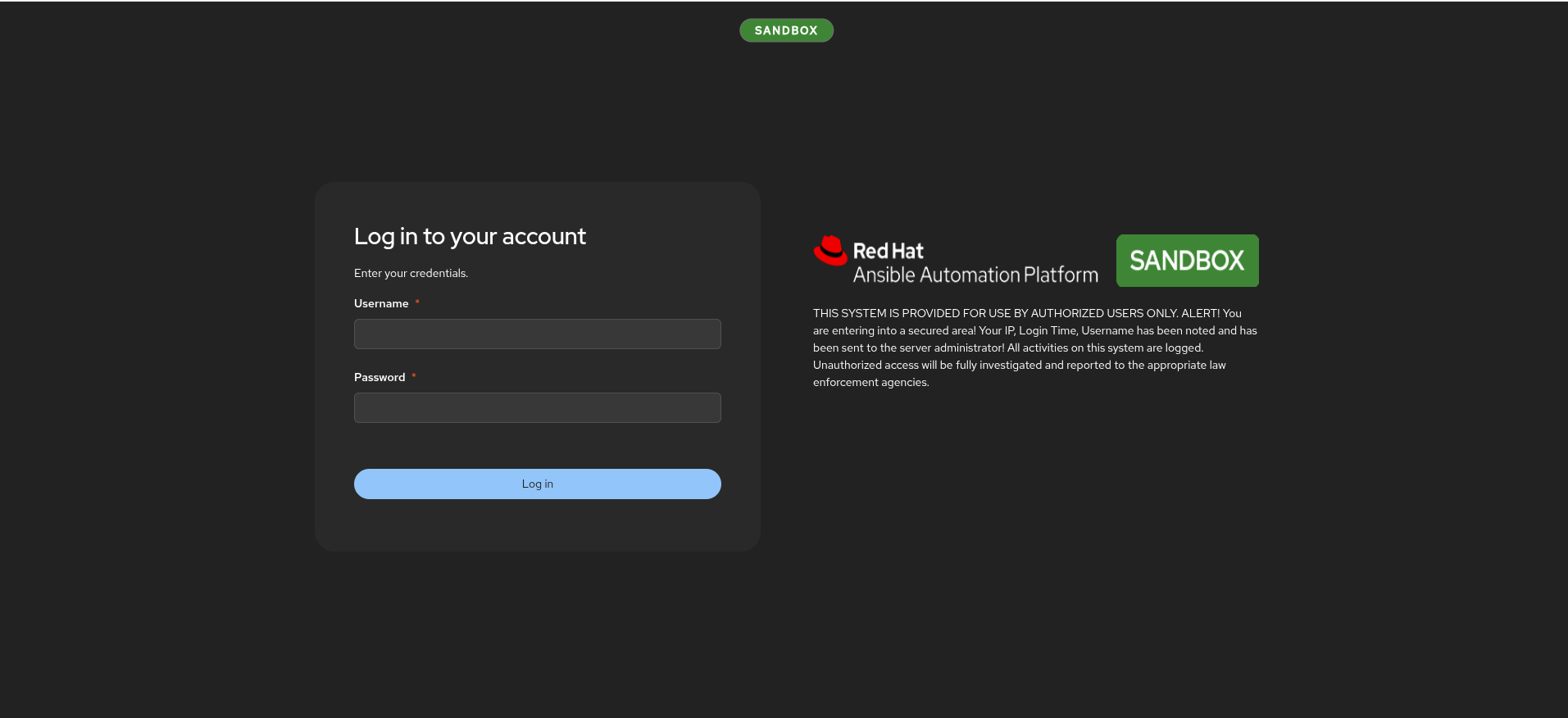
Green is the one you break. Red is the one the customer is watching.
Then prove the environment is warm. /sales-demos-verify-env builds and times a
real VM in about a minute and fails loudly if the cluster is cold.
Keep the screenshot open in a tab regardless. If the run stalls, do not debug in front of them:
"That's a lab cluster doing lab cluster things — here's the run I did earlier."
Cut to the tab and carry on. You lose nothing: the whole talk track is built to work from the artifacts.
Recovery moves
| Symptom | Move |
|---|---|
URL 503s but the VM says Running |
Wait two minutes. Most likely the VMI was re-created and the guest is still booting. The disk is persistent and httpd is enabled, so it comes back on its own — this was observed live, self-healing in about two minutes with no intervention. Narrate it as the "three definitions of done" beat rather than debugging it |
| URL times out rather than 503ing | Not the cluster. The router answers a bad route instantly with 503; a timeout means the connection never established, so it is your network path — VPN, proxy, wifi. Check whether the AAP or console tab also hangs |
Job fails on Error acquiring the state lock |
A cancelled run left a Lease held. Do not debug live — cut to the screenshot. The fix is in playbooks/tasks/terraform_lock_check.yml |
| Job fails with a 401, or times out then 401s | The RHDP token expired. Not fixable mid-demo. Cut to the screenshot |
| Register node runs long | Normal — it is 4–5 minutes of the nine. Fill with the "three definitions of done" beat |
| URL still 503 after configure | Check the guest firewall beat: firewalld on the VM is separate from the Route |
Screenshots
The guest-facing artifacts render without a cluster. The AAP and OpenShift interfaces cannot be rendered, so they were captured from a live run.
Captured and wired in:
- [x] The survey modal as a requester sees it —
aap-survey.png - [x] The workflow mid-run, nodes chained —
aap-workflow-running.png - [x] The namespace before and after —
ocp-vms-before.png,ocp-vms-after.png - [x] The badged sign-in page —
aap-login-badged.png - [x] The Route before the web server exists —
route-503.png - [x] Every node's real duration, all Success —
aap-job-timings.png - [x] The demo page served by a real guest —
demo-page-live.png
Still worth grabbing next time an environment is up:
- [ ] The demo page with the URL bar and padlock visible —
demo-page-live.pnghas no browser chrome, so the "real certificate, no cert management" point is still unillustrated. Minor; the page itself is captured - [ ]
virtctl sshshowing the pre-auth banner and the MOTD in one scrollback - [ ] The AAP host detail page with cached facts
Hide the bookmarks bar before shooting (
Ctrl+Shift+B).route-503.pnghad to be cropped to remove it.
Commit them to docs/images/ and link them here.